Newly Launched: Post Graduation Program in Digital Marketing & Business Strategy.
Students Centric
Placements Report
Trackable results, real numbers
Reviews
Proven success, real voices
Trainers
Expert-led, Industry-Driven Training
Life at IIDE
Vibrant Spirit student life
Alumni
Successful Journeys, Inspiring Stories
Learning Centre
Webinars
Blogs
Case studies
Live, Interactive Masterclasses
Fresh Insights, quick reads
Real-life, Industry relevant
More
Hire from us
Hire Top Digital Marketing Talent
Work with us
Join Our Team, Make an Impact
Customised Training
Personalised digital marketing training for your company
Refer & earn
Simple, easy rewards
Contact us
Get the answers you need
About us
Know more about IIDE
Explore all course options

FOR FRESH GRADUATES
Post Graduation Program in Digital Marketing & Business Strategy- Ideal for Age: 20–25 Years

Can’t decide? Explore all our
Digital Marketing CoursesTrending

Professional Certification in AI Strategy
- Ideal for AI Enthusiast









Orginally Written by Aditya Shastri
Updated on Dec 29, 2025
|1,222K+ views
Share on:
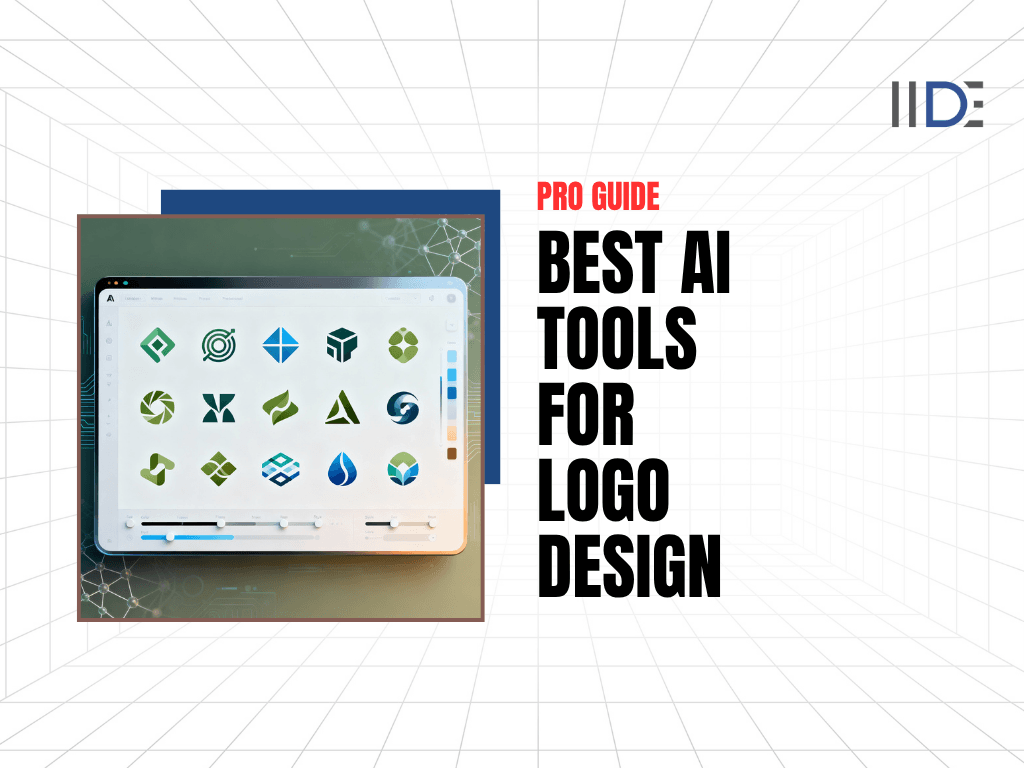
AI logo design tools are revolutionising branding in 2025, instantly producing professional logos based on your preferences and text prompts. Top platforms like Looka, Adobe Express, and Canva offer customisation options spanning fonts, layouts, icons, and colour palettes, delivering scalable vector outputs for web and print.
With 40% of small businesses now using AI logo generators, free trials and premium plans (starting at £15–£96) make polished designs accessible to startups and enterprises alike.
Creating a memorable logo has never been easier, yet never been more critical. In today's digital marketplace, your logo is often the first touchpoint between your brand and potential customers, making it essential to get it right. The challenge? Professional logo design has traditionally cost anywhere from £300 to £2,500, putting quality branding out of reach for many startups and small businesses.
Enter artificial intelligence. AI-powered logo design tools have revolutionised the branding landscape, making professional-quality logos accessible to everyone regardless of budget or design experience. These intelligent platforms analyse your industry, preferences, and brand personality to generate dozens of unique logo concepts in minutes rather than weeks.
The logo design industry has experienced remarkable growth in 2025. According to recent market data, 75% of consumers recognise a brand by its logo alone, whilst 60% actively avoid brands with outdated or unappealing designs. The graphic design market now exceeds £60 billion globally, with AI-powered tools capturing an increasing share. In October 2025, the integration of advanced machine learning and natural language processing has made AI logo generators more sophisticated than ever, producing designs that rival human creativity whilst maintaining the efficiency and affordability that startups demand.
Whether you're launching a new venture, rebranding an existing business, or simply exploring creative options, this comprehensive guide covers the 19 best AI tools for logo design in 2025. You'll discover free and premium platforms, understand their unique features, and learn how to choose the perfect tool for your brand identity needs.
IIDE’s Professional Certification in AI Strategy teaches you the key AI skills needed to change how you do marketing. You’ll learn how to use AI for creating content, automating tasks, and building smart workflows, all through practical projects. This course helps you confidently use AI to improve your marketing and stay ahead in the fast-changing world of 2025.

Learn Digital Marketing for FREE
- 45 Mins Masterclass
- Watch Anytime, Anywhere
- 1,00,000+ Students Enrolled

19 Best AI Tools for Logo Design: Features and Pricing
| AI Tool Name | Best For | Free Version | Starting Price |
|---|---|---|---|
| Looka | Comprehensive brand kits | Limited | £20 |
| Adobe Express | Creative professionals | Yes | Free |
| Canva AI Logo Maker | Beginners & teams | Yes | Free |
| Logo Diffusion | Creative control | Yes | Free |
| Fiverr Logo Maker | Quick brand assets | Limited | £30 |
| Logomaster.ai | Budget-conscious businesses | Limited | £29 |
| Kittl | Advanced typography | Yes | Free |
| DesignEvo | Template customisation | Yes | Free |
| Wix Logo Maker | Website integration | Limited | £15 |
| Brandmark | Professional concepts | Limited | £25 |
| Tailor Brands | Ongoing brand support | Limited | £9.99/month |
| LogoAI | Smart automation | No | £29 |
| Hatchful by Shopify | E-commerce stores | Yes | Free |
| Vistaprint AI Logomaker | Print integration | Yes | Free |
| Logomakerr.ai | Quick generation | Yes | Free |
| Designs.ai Logomaker | Multi-tool suite | Limited | £19 |
| 1Brand | Annual licensing | No | £99/year |
| Zoviz | AI-powered branding | Limited | Variable |
| LogoMakr | Hands-on design | Yes | Free |
Note: Prices are indicative and subject to change; please verify with the official vendor.
1. Looka
Looka stands as one of the most comprehensive AI logo generators available in 2025, transforming the logo creation process into a seamless five-minute experience. The platform combines sophisticated artificial intelligence with user-friendly design tools to generate hundreds of professional logo options tailored specifically to your brand.
Best For: Small business owners and entrepreneurs who want a complete brand package beyond just a logo, including business cards, social media assets, and comprehensive brand guidelines.
Key Features:
- AI-Powered Generation: Creates hundreds of custom logo designs in under five minutes based on your specific preferences and industry.
- Comprehensive Customisation: Edit layouts, symbols, colours, fonts, and styling with intuitive tools that require zero design experience.
- Brand Kit Integration: Access over 300 branded templates for social media posts, business cards, email signatures, and marketing materials.
- Real-Life Mockups: Visualise your logo on physical products like t-shirts, coffee mugs, signage, and stationery before finalising.
- Multiple File Formats: Download logos in high-resolution PNG, JPG, SVG, and EPS vector formats suitable for any application.
- Unlimited Revisions: Make changes to your logo anytime with paid subscriptions, ensuring your brand evolves with your business.
- Colour Variations: Receive multiple colour versions of your logo optimised for different backgrounds and use cases.
Pros:
- Professional designs that genuinely feel custom-made rather than template-based.
- Exceptionally intuitive interface accessible to complete beginners.
- Fast generation process that truly delivers results in under five minutes.
- Excellent mockups demonstrating real-world logo applications.
- Helpful customer support throughout the design process.
Cons:
- Whilst advertised as "free to create," downloading requires payment, which can feel misleading.
- Some users report that generated logos occasionally resemble existing designs.
- Several customer complaints about unexpected subscription auto-renewals.
- The basic package at £20 offers very limited value with only one low-resolution file.
Pricing:
- Free Plan: Design and customise logos without downloading (no credit card required).
- Basic Logo Package: £20 one-time fee for a single low-resolution PNG file with coloured background (not recommended for professional use).
- Premium Logo Package: £65 one-time fee including high-resolution files, full ownership, multiple colour variations, and various file formats.
- Brand Kit Subscription: £96 per year for everything in Premium plus 300+ branded templates, social media assets, and unlimited changes.
- Brand Kit + Web: £129 per year for Brand Kit features plus website builder and additional design tools.
Use Looka For:
Creating a cohesive brand identity with matching business cards, social media graphics, and marketing materials whilst maintaining professional consistency across all platforms.
AI courses in Surat deliver comprehensive training on AI tools, automation, and industry-relevant methodologies.
2. Adobe Express

Adobe Express brings the power of Adobe's industry-leading design ecosystem to logo creation, offering a free AI logo generator that seamlessly integrates with professional creative workflows. The platform leverages generative AI to transform text descriptions into polished logo designs, making professional branding accessible to creators at every skill level.
Best For: Users who need fast, high-quality logos and want to integrate them seamlessly into other Adobe projects or marketing materials.
Key Features:
- Text-to-Logo AI Generation: Describe your vision in natural language, and Adobe's AI instantly generates multiple logo options.
- Multiple Generation Styles: Choose from 3D Render, Illustration, Sketch, and dozens of other artistic styles to match your brand aesthetic.
- Reference Image Upload: Upload inspiration images to guide the AI towards your desired style and maintain brand consistency.
- Adobe Fonts Integration: Access thousands of professional fonts with intelligent recommendations curated for your specific logo design.
- Animation Capabilities: Add motion to your logo with dozens of animation styles for video intros, social media, and digital applications.
- Brand Kit Compatibility: Save your logo to Adobe's Brand Kit for instant application across future designs and marketing materials.
- High-Resolution Exports: Download logos as PNG, JPG, MP4 (for animations), and vector PDF files ready for any use.
Pros:
- High-quality design options leveraging Adobe's professional-grade algorithms.
- Seamless integration with Adobe Creative Cloud and Express tools.
- User-friendly interface suitable for beginners and professionals alike.
- Free to use with generous monthly generation credits.
- Professional animation options for dynamic branding.
Cons:
- Requires an Adobe account to access features.
- Some advanced capabilities are locked behind an Adobe Express Premium subscription.
- May have a steeper learning curve than simpler dedicated logo makers.
Pricing:
- Free Plan: Create and customise logos with limited monthly generative credits.
- Adobe Express Premium: Approximately £10-15 per month (pricing varies by region), unlocking unlimited generations, premium templates, and advanced features.
- Adobe Creative Cloud Integration: Included with Creative Cloud subscriptions for comprehensive design workflows.
Use Adobe Express For:
Creating professional logos quickly when you need Adobe's powerful design ecosystem, extensive font library, and the ability to animate your brand identity for modern digital applications.
3. Canva AI Logo Maker
Canva has evolved into one of the most accessible and powerful AI logo creation platforms in 2025, democratising professional design through its Dream Lab feature powered by Leonardo.AI. The platform's AI logo generator transforms simple text prompts into professional-quality logos, making brand creation effortless for businesses of all sizes.
Best For: Beginners, small businesses, and teams who need a simple, customisable solution with seamless integration into other marketing materials.
Key Features:
- AI Image Generation: Dream Lab creates high-fidelity logos from text prompts, generating up to 20 designs per month on the free plan.
- Multiple Generation Styles: Explore 3D Render, Illustration, Sketch (Colour), and numerous artistic styles to find your perfect aesthetic.
- Reference Image Support: Upload inspiration images to guide the AI towards consistent branding and refined outputs.
- Massive Template Library: Access over 10,000 professionally designed logo templates across diverse industries and styles.
- Comprehensive Editor: Customise every element with intuitive tools for fonts, colours, layouts, icons, and effects.
- Brand Kit Integration: Save brand colours, fonts, and logos for consistent application across all marketing materials.
- Magic Design Tools: Use conversational AI to generate complete design sets, not just logos.
- Real-Time Collaboration: Work with team members simultaneously on logo projects with cloud-based editing.
Pros:
- Extremely user-friendly interface with minimal learning curve.
- Generous free plan with 20 AI generations per month.
- Seamless integration with Canva's broader design ecosystem for business cards, social media, and presentations.
- Extensive template library offering diverse starting points.
- Strong collaboration features for teams.
Cons:
- Advanced AI features and unlimited generations require Canva Pro subscription.
- Some premium templates and elements are locked behind a paywall.
- AI generations can occasionally feel generic without detailed prompting.
Pricing:
- Free Plan: Create and customise logos with 20 AI generations per month, access to basic templates and elements.
- Canva Pro: £10.99 per month (or approximately £96 annually), unlocking unlimited AI generations, premium templates, Brand Kit, Magic Studio features, and advanced collaboration tools.
- Canva for Teams: £12.99 per user per month for enhanced collaboration and brand management features.
Use Canva AI Logo Maker For:
Creating professional logos quickly whilst maintaining access to a complete design suite for all your marketing needs, from social media graphics to presentations and business cards.
AI courses in Nagpur support learners with portfolio projects, interactive sessions, and AI job market guidance.
4. Logo Diffusion
Logo Diffusion represents the cutting edge of AI logo design in 2025, offering creators unprecedented control over their logo generation process. The platform stands out by combining powerful generative AI with professional sketching tools, allowing users to either start from text prompts or hand-drawn concepts that the AI refines into polished designs.
Best For: Users who want detailed control over their design or prefer to turn sketches into professional logos with AI assistance.
Key Features:
- Text-to-Logo Generation: Create four unique logo options instantly from detailed text descriptions.
- Sketch-to-Logo Conversion: Draw rough concepts using in-app sketching tools, and watch AI transform them into professional designs.
- 45+ Design Styles: Choose from curated styles covering most logo design trends and aesthetic themes.
- Vector Output: Export logos as clean, scalable SVG vector files ready for professional use.
- Background Removal: Create transparent PNG files perfect for websites, presentations, and product catalogues.
- In-App Editor: Refine designs with brushes, shapes, fonts, and standard sketching tools for precise control.
- 2× and 4× Upscaling: Enhance logo resolution for high-quality applications with Pro and Elite plans.
- Colour Customisation: Fine-tune brand colours and themes with intuitive controls for effortless consistency.
Pros:
- Exceptional creative control compared to fully automated tools.
- Sketch-to-logo feature is unique amongst AI generators.
- High-quality vector exports suitable for professional applications.
- Generous free tier with 40 monthly credits.
- Multiple generation methods accommodate different creative workflows.
Cons:
- Steeper learning curve than simpler generators.
- Credit system may feel restrictive for extensive experimentation.
- Interface can feel complex for absolute beginners.
Pricing:
- Free Plan: 40 monthly credits for basic logo generation and vectoriser access.
- Basic Plan: £24 per month for 1,000 credits, 50 vector exports, and 2× upscaler.
- Pro Plan: £49 per month for 2,500 credits, 100 vector exports, and 4× upscaler.
- Elite Plan: £99 per month for 10,000 credits, 200 vector exports, priority processing, and advanced features.
Use Logo Diffusion For:
Creating highly customised logos when you want hands-on control, need to refine sketches into professional designs, or require vector outputs with advanced upscaling capabilities.
5. Fiverr Logo Maker
Fiverr Logo Maker distinguishes itself by combining AI efficiency with human designer expertise, offering a unique hybrid approach to logo creation. Unlike purely automated tools, every logo template in Fiverr's system was created by top-tier professional designers hand-picked by Fiverr's editorial team, ensuring consistently high-quality results.
Best For: Users who want the speed of AI combined with the quality assurance of human-designed templates, plus comprehensive brand assets.
Key Features:
- Human-Designer Templates: Every logo originates from professionally designed templates, not pure AI generation.
- AI-Backed Customisation: Platform uses AI to match your preferences with the best template designs instantly.
- Smart Editor: Intuitive tools let you change colours, fonts, and layouts without design skills.
- Complete Brand Assets: Generate business cards, social media templates, and marketing materials alongside your logo.
- High-Resolution Files: Download resizable logos on transparent or coloured backgrounds ready for immediate use.
- Multiple Applications: Files optimised for websites, social media, apps, and professional printing.
- Real Designer Support: Access to actual Fiverr designers if you need additional customisation beyond the maker tool.
Pros:
- Superior design quality thanks to human-created foundation templates.
- User-friendly platform with quick results.
- Comprehensive brand asset generation beyond just logos.
- More diverse and professional outcomes than pure template sites.
- Designer support available if needed.
Cons:
- No free download option; must purchase to use designs.
- Requires account creation before viewing generated options.
- Limited customisation compared to full design software.
- Some users report fewer styling options than competitors.
Pricing:
- Free Exploration: Browse and generate logo options without payment.
- Logo Package: Starting at approximately £30 for high-quality logo files and basic brand assets.
- Premium Packages: Higher tiers include comprehensive brand kits, multiple file formats, and extended usage rights.
- Designer Services: Option to hire individual Fiverr designers for custom work at varying rates.
Use Fiverr Logo Maker For:
Creating high-quality logos when you want the assurance of human design expertise combined with AI speed, especially if you need comprehensive brand assets and potential designer support.
6. Logomaster.ai
Logomaster.ai positions itself as a straightforward, budget-friendly AI logo solution specifically designed for startups, professionals, and small businesses. The platform excels at rapid logo generation, producing over 100 unique logo ideas instantly based on your preferences, all through a remarkably user-friendly interface that requires zero design experience.
Best For: Budget-conscious businesses and startups that need professional logos quickly without extensive design knowledge.
Key Features:
- Rapid AI Generation: Produces over 100 logo ideas instantly based on your input preferences.
- Industry-Specific Templates: Browse designs categorised by industry for relevant starting points.
- User-Friendly Editing Tools: Intuitive customisation interface with built-in tips for effective logo adjustments.
- Multiple File Formats: Download high-resolution PNG, SVG, and print-ready files in your logo package.
- Royalty-Free Licensing: All logos come with commercial licenses providing legal safety for business branding.
- Multi-Language Support: Platform available in multiple languages for international users.
- Design Resources: Access the blog with tips on logo design and brand success strategies.
Pros:
- Fast and remarkably easy to use for beginners.
- Affordable pricing compared to competitors and designers.
- Industry-categorised templates help narrow options quickly.
- Strong user-friendly customisation tools with helpful editing tips.
- High Trustpilot rating (4.7 out of 5 stars from 1,600+ reviews).
Cons:
- Limited selection of design templates compared to larger platforms.
- No free download option; must purchase to use logos.
- No phone support; only email and chat assistance.
- May lack the advanced customisation of premium tools.
Pricing:
- Free Design: Create and edit logo designs without charge to explore options.
- Basic Package: £29 (approximately) for high-resolution logo files and web-ready formats.
- Premium Package: £69 (approximately) for everything in Basic plus print-ready files, unlimited changes, and custom background colours.
- Enterprise Package: £109 (approximately) for Premium features plus multiple logo variations, social media assets, professional watermark, and real-world mockup images.
Use Logomaster.ai For:
Creating professional logos quickly and affordably when you're a startup or small business with a limited design budget, but need quality, legally safe branding with straightforward customisation.
7. Kittl
Kittl stands apart as an all-in-one creative design platform that extends far beyond simple logo generation, offering a comprehensive suite of AI-powered tools combined with professional-grade editing capabilities. Whilst competitors focus solely on logos, Kittl provides a complete workspace for creating full brand systems, marketing materials, and merchandise designs.
Best For: Designers, merch creators, and businesses wanting an all-in-one workspace for logos, templates, apparel graphics, and brand consistency across platforms.
Key Features:
- AI Logo and Vector Generation: Create scalable graphics and logos instantly using text prompts or the dedicated Logo Generator.
- Advanced Typography Tools: Industry-leading text effects, creative font manipulation, and an extensive font library for unique designs.
- Comprehensive Template Library: Access thousands of ready-to-use templates for logos, posters, social media, packaging, and apparel.
- Mockup Generation: Apply designs to product mockups like packaging, apparel, and merchandise instantly.
- Robust Vector Editor: Professional editing tools for typography, effects, and vector control beyond basic logo makers.
- Multi-Project Workspace: Work on logos, marketing materials, and merchandise designs in one unified platform.
- Commercial Licensing: Full commercial license included with paid plans for professional use.
Pros:
- All-in-one workflow from concept to production-ready files.
- Exceptional typography and text effect capabilities are unique amongst competitors.
- Templates accelerate real-world output for diverse applications.
- Strong vector editing tools for precise control.
- Suitable for creating complete brand systems, not just logos.
Cons:
- Richer feature set requires a learning period for beginners.
- Can feel like overkill for users wanting only simple logo generation.
- Free plan limited to 20 AI credits (single-use) and low-resolution exports.
- AI accuracy could use improvement, according to some users.
Pricing:
- Free Plan: 20 AI credits (single-use), work on 20 projects, 500MB upload space, low-resolution exports, commercial license with attribution required.
- Pro Plan: £15 per month for 30 daily AI credits, 100 projects, 10GB storage, unlimited vector exports, all premium templates, full commercial license.
- Expert Plan: £30 per month for 100 daily AI credits, advanced AI features, and enhanced capabilities.
Use Kittl For:
Creating professional logos alongside complete brand systems when you need advanced typography, want to design merchandise and marketing materials, or require a comprehensive creative platform rather than a basic logo generator.
8. DesignEvo
DesignEvo simplifies logo creation through its massive library of over 10,000 professionally designed templates, offering a different approach from pure AI generation. Rather than creating logos from scratch, the platform provides expertly crafted starting points that users customise through an intuitive drag-and-drop editor.
Best For: Users with a good eye for design who need quick, free logos for small projects and prefer template-based customisation over AI generation.
Key Features:
- 10,000+ Professional Templates: Extensive library of pre-designed logos across diverse categories and industries.
- Intuitive Logo Editor: Simplified editing interface providing essential tools without overwhelming complexity.
- Comprehensive Customisation: Adjust font size, colour, spacing, alignment, opacity, curved effects, and more for typography.
- Extensive Icon Library: Access thousands of graphics, including badges, decorations, lines, shapes, banners, and symbols.
- 100+ Curated Fonts: Hand-picked fonts in Bold, Modern, Traditional, Handwriting, and Funny styles.
- Layer Management: Move objects forward or backwards, duplicate, delete, and organise design elements.
- Multiple Export Formats: Save logos as JPG, PNG, or transparent PNG files.
- Mobile App Available: Design logos on the go with iOS and Android applications.
Pros:
- Genuinely free to use for basic logo creation.
- Massive template selection provides diverse starting points.
- Simplified editor focuses on essential features without complexity.
- No design experience required, thanks to the template foundation.
- Helpful tips and tricks are available on the website for guidance.
Cons:
- Template-based approach means less originality than AI generation.
- More manual effort is required compared to automated AI tools.
- Premium features and high-resolution downloads require payment.
- It may feel limiting for users wanting advanced design capabilities.
Pricing:
- Free Plan: Create and customise logos with basic features and standard resolution exports.
- Paid Packages: One-time licensing fees for high-resolution files, vector formats, and commercial usage rights (pricing varies by package).
Use DesignEvo For:
Creating quick, professional-looking logos when you prefer template customisation over AI generation, need a free starting point for small projects, or have a clear vision but lack design skills to execute it from scratch.
9. Wix Logo Maker
Wix Logo Maker leverages the same intuitive drag-and-drop interface that made Wix's website builder famous, bringing that user-friendly approach to AI-powered logo design. The platform combines intelligent AI recommendations with flexible manual customisation, offering a balanced solution for users who want guidance without sacrificing creative control.
Best For: Business owners wanting full design control with Wix website integration and consistent branding across digital platforms.
Key Features:
- AI-Driven Design Process: Answer questions about your business, industry, and style preferences to generate tailored logo suggestions.
- Conversational AI Chat: Create design briefs through natural conversation, with AI offering suggestions and question rephrasing.
- Extensive Customisation: Drag-and-drop editor for adjusting fonts, colours, icons, layouts, sizes, and effects.
- Real-Time Mockups: Preview logos on merchandise, marketing materials, and business cards before finalising.
- Vector File Formats: Download scalable SVG files alongside high-resolution PNG and JPG formats.
- Full Wix Integration: Seamlessly coordinate logo with Wix websites for a professional, cohesive online presence.
- Business Launcher Connection: Access additional business strategy tools and market analysis from within the dashboard.
- Custom Font Upload: Import your own fonts or images for personalised branding.
Pros:
- Highly customisable with professional-level control.
- Intuitive interface familiar to Wix users.
- Strong integration with Wix ecosystem for unified branding.
- Recent updates made SVG files available in basic plans.
- Mockup previews help visualise real-world applications.
Cons:
- AI recommendations can feel generic without additional customisation.
- Initial designs may require extensive editing to stand out.
- Limited icon variety in initial suggestions.
- Subscription-based pricing for ongoing access and updates.
Pricing:
- Free Design: Create and customise logos without downloading to explore options.
- Basic Plan: Approximately £15 for logo download with essential file formats.
- Premium Plans: Higher tiers include vector files, brand kits, and extended features (pricing varies).
- Wix Website Integration: Bundled pricing available with Wix website builder subscriptions.
Use Wix Logo Maker For:
Creating professional logos with extensive customisation control, especially when building a Wix website, to ensure seamless brand consistency across your entire digital presence.
10. Brandmark
Brandmark takes a sophisticated approach to AI logo design, using deep learning technologies including convolutional neural networks, word embeddings, and generative adversarial networks (GANs) to create genuinely unique logos. Unlike template-based competitors, Brandmark's AI analyses millions of design possibilities to compose original logos with balanced legibility, visual uniqueness, and professional polish.
Best For: Businesses wanting unique, professional logo concepts with comprehensive brand assets and unlimited post-purchase revisions.
Key Features:
- Deep Learning AI: Uses advanced neural networks to generate original logos rather than template combinations.
- Comprehensive Brand Assets: Creates business cards, social media graphics, app icons, letterheads, and presentation templates.
- Professional Customisation Service: Free assistance from specialists to adjust colours, shapes, and design elements post-purchase.
- AI Colour Wheel: Automatically colourises logos and creates brand colour palettes from uploaded images.
- Unlimited Revisions: Evolve your logo after purchase with permanent editing access.
- Multiple Export Formats: Download SVG, EPS, PNG, and PDF files suitable for online and print applications.
- Fast Generation: Creates professional designs in under a minute from your input.
- Full Copyright Ownership: Retain complete legal rights to your designs upon purchase.
Pros:
- Truly unique designs thanks to deep learning rather than templates.
- High-quality, professional results suitable for serious branding.
- Comprehensive brand asset package beyond just logos.
- Professional customisation help included with purchase.
- Permanent access with unlimited revisions after one-time payment.
Cons:
- No free download option; must purchase to use designs.
- Some generated logos may still feel generic despite AI sophistication.
- Less adaptable than competitors with extensive manual controls.
- Higher price point than basic logo makers.
Pricing:
- Free Design: Generate and customise logo concepts without payment.
- Basic Package: £25 one-time fee for PNG logo files.
- Designer Package: £65 one-time fee for logo source files, brand style guide, business card designs, social media assets, letterhead, and profile icons.
- Enterprise Package: £175 one-time fee for everything in Designer, plus up to 10 fully original concepts created by the design team.
Use Brandmark For:
Creating genuinely unique, professionally designed logos when you need comprehensive brand assets, unlimited future revisions, and the assurance of deep learning AI rather than template mixing.
AI courses in Noida feature personalised mentorship and skill-building in AI-driven business solutions.
11. Tailor Brands
Tailor Brands pioneered AI-powered logo design by raising millions to develop what they claim as the world's first AI-automated logo and branding platform. The tool goes beyond simple logo creation, offering a complete suite of brand-building services, including website design, social media marketing tools, and even LLC formation assistance.
Best For: Startups and small businesses wanting ongoing brand support, professional branding on a budget, and potential business formation services.
Key Features:
- AI-Driven Logo Generation: Creates hundreds of design options based on business details and style preferences.
- Multiple Logo Types: Choose between icon-based, wordmark, or lettermark logo styles.
- Font Style Mixing: Select from personality-driven font categories like "Elegant" or "Masculine" for brand alignment.
- Built-In Editor: Customise fonts, icons, and colours with intuitive editing tools.
- 21 Social Media Versions: Automatically generates logo versions optimised for different social platforms.
- Seasonal Variations: Receive seasonal logo adaptations to keep branding fresh.
- Free Branding Assets: Access brand books, business cards, and letterhead templates.
- Business Formation Tools: Optional LLC formation and trademark registration services.
Pros:
- Comprehensive platform beyond just logo creation.
- Subscription model provides ongoing access and updates.
- Good balance of AI automation with manual control.
- Seamless integration with Wix and WordPress websites.
- Affordable entry point for a complete branding solution.
Cons:
- Generated designs often require significant editing to stand out.
- Must sign up and create an account before viewing logos.
- Limited editing functionality compared to professional design software.
- Icons are not suggested automatically; you must manually select them.
- Subscription pricing rather than one-time purchase may not suit all users.
Pricing:
- Free Preview: Low-resolution preview with watermark available.
- Logo Package: £47.88 for standard PNG and JPG files with social media assets.
- Premium Package: £71.88 for vector files, brand assets, business cards, and presentations.
- Enterprise Package: £155.88 for a complete solution, including social media tools and a website builder with an online store.
- Monthly Subscriptions: Also available starting from £9.99 per month for ongoing access.
Use Tailor Brands For:
Building a complete brand identity when you need ongoing support, social media marketing tools, and potential business formation services, especially if you're comfortable refining AI-generated designs to match your vision.
12. LogoAI
LogoAI focuses on smart automation and high-quality visual results, positioning itself as a premium AI logo solution with exceptional visualisation tools. The platform excels at creating logos that look professional immediately, with particular strength in colour accuracy, layout balance, and modern design aesthetics.
Best For: Businesses prioritising high-quality visual results and comprehensive mockup visualisation tools.
Key Features:
- Smart AI Automation: Advanced algorithms optimise logo designs for professional appeal and brand alignment.
- Exceptional Visualisation Tools: Comprehensive mockups showing logos on products, signage, digital platforms, and marketing materials.
- High-Quality Outputs: Premium design quality with attention to colour accuracy and layout balance.
- Brand Kit Generation: Creates matching stationery, business cards, and marketing materials alongside logos.
- Multiple File Formats: Export logos in formats suitable for web, print, and professional applications.
- Industry-Specific Optimisation: AI considers industry standards and trends for relevant design choices.
Pros:
- Consistently high-quality, professional design outputs.
- Exceptional mockup and visualisation capabilities.
- Polished results requiring minimal post-generation editing.
- Strong brand asset generation beyond logos.
Cons:
- No free tier; must purchase to access and download designs.
- Higher price point than many competitors.
- Less manual customisation control than platforms like Kittl or Logo Diffusion.
- Fewer style variations compared to larger platforms.
Pricing:
- Basic Package: £29 (approximately) one-time fee for essential logo files and formats.
- Premium Packages: £59-99 (approximately) for comprehensive brand kits with extensive file formats and marketing assets.
Use LogoAI For:
Creating high-quality, professional logos when exceptional visualisation tools and mockups are priorities, and you're willing to invest in premium design quality with less emphasis on extensive manual customisation.
13. Hatchful by Shopify

Hatchful by Shopify provides a streamlined, completely free AI logo maker specifically designed for e-commerce businesses and entrepreneurs. As a Shopify product, the tool integrates seamlessly with Shopify stores, making it the natural choice for online retailers wanting cohesive branding across their digital storefronts.
Best For: E-commerce stores, particularly Shopify users, who need free, professional logos with seamless store integration.
Key Features:
- Completely Free: No payment required to generate, customise, or download logos.
- Shopify Integration: Seamless connection with Shopify stores for unified branding.
- Industry-Specific Templates: Choose from designs optimised for various business sectors.
- Multiple File Formats: Download logos in formats suitable for web, social media, and print.
- Social Media Sizing: Automatically generates logo versions sized for different social platforms.
- Quick Generation: Create professional logos in minutes with minimal input required.
Pros:
- Genuinely free with no hidden costs or watermarks.
- Perfect integration for Shopify store owners.
- Fast, straightforward process requiring minimal time investment.
- Good starting point for businesses with zero budget.
Cons:
- Limited customisation compared to paid alternatives.
- Smaller template selection than comprehensive platforms.
- Designs may feel less unique due to simpler AI.
- Fewer file format options than premium tools.
Pricing:
- 100% Free: All features available at no cost with unlimited downloads.
Use Hatchful by Shopify For:
Creating free, professional logos when you're running a Shopify e-commerce store, testing a business idea with zero budget, or need quick branding for an online retail venture.
14. Vistaprint AI Logomaker
Vistaprint AI Logomaker leverages Vistaprint's decades of print expertise to deliver a free AI logo solution specifically optimised for seamless integration with printed marketing materials. The platform combines sophisticated AI generation with Vistaprint's extensive printing services, making it exceptionally easy to move from logo design to business cards, signage, merchandise, and promotional products.
Best For: Businesses needing seamless integration between logo design and professional printing services for business cards, signage, and merchandise.
Key Features:
- 100% Free: Create, customise, and download logos at no cost with no watermarks or limitations.
- AI-Powered Generation: Guided prompts help describe your logo vision clearly for instant AI understanding.
- Unlimited Customisation: Refine logos with ease, tweaking icons, layouts, fonts, and colours without starting from scratch.
- Conversational Editing: Prompt simple changes like "make the font bolder" or "change the colour palette to blue" whilst keeping the concept intact.
- Professional Designer Support: Bring in Vistaprint designers anytime for expert refinements and elevated results.
- Brand Kit Included: Free Brand Kit for consistent application across all Vistaprint marketing projects.
- Print Integration: Seamlessly apply logos to Vistaprint's extensive catalogue of printed products.
Pros:
- Genuinely free with no hidden costs or watermarks.
- Six high-resolution file formats are included at no charge.
- Excellent integration with Vistaprint printing services.
- Professional designer support available if needed.
- Brand Kit ensures consistency across all materials.
Cons:
- Primarily optimised for users planning to purchase Vistaprint printed products.
- May have fewer templates than dedicated logo platforms.
- Customisation options potentially more limited than premium tools.
Pricing:
- 100% Free: All logo creation, customisation, and downloads are completely free forever.
- Optional Designer Services: Professional designer refinements available at additional cost.
- Vistaprint Printing: Separate costs for business cards, signage, and merchandise printing.
Use Vistaprint AI Logomaker For:
Creating free, professional logos when you plan to order printed business cards, signage, merchandise, or marketing materials from Vistaprint and want seamless integration between design and production.
AI courses in Kochi offer exposure to cutting-edge AI platforms and experiential learning for fast-growing industries.
15. Logomakerr.ai
Logomakerr.ai positions itself as a simple, accessible AI logo generator designed to help anyone create professional logos instantly without design experience. The platform emphasises speed and ease of use, generating customisable logos with just a few clicks whilst providing extensive freedom to adjust every element until it perfectly matches your vision.
Best For: Quick logo generation with risk-free experimentation and pay-only-when-satisfied pricing.
Key Features:
- Instant AI Generation: Create professional logos instantly with minimal input required.
- 100% Customisable: Choose from thousands of fonts, colours, symbols, and layouts for complete personalisation.
- Free to Generate: Create and experiment with unlimited logos at no cost.
- Full Brand Kits: Access business cards, PowerPoint templates, flyers, and social media posts once you purchase.
- Easy-to-Use Interface: Simple, intuitive platform requiring no design knowledge.
- Designer Assistance: In-house designer available to help fine-tune designs if needed.
- Industry-Specific Options: Tailored designs based on your business sector and needs.
Pros:
- Genuinely free to generate and customise unlimited options.
- Pay only when completely satisfied with results.
- Simple, beginner-friendly interface.
- Designer support available for refinements.
- Comprehensive brand kit included with purchase.
Cons:
- Limited information about file formats and export options.
- Smaller platform with less established reputation than competitors.
- May have fewer templates than larger, established platforms.
- Less advanced AI compared to premium tools.
Pricing:
- Free Generation: Create and customise unlimited logos at no cost.
- Pay Upon Satisfaction: Purchase only when ready to download final logo (pricing details on website).
- Brand Kit Included: Complete branding materials included with logo purchase.
Use Logomakerr.ai For:
Experimenting with logo designs risk-free, creating quick professional logos on a budget, or testing multiple concepts before committing to a final design and payment.
16. Designs.ai Logomaker
Designs.ai Logomaker is an all-in-one AI creative suite that extends beyond logo design to encompass video creation, graphic design, and copywriting tools. The platform leverages multiple AI models to generate professional logos alongside complete marketing collateral, making it ideal for businesses needing comprehensive branding solutions beyond just a logo. Designs.ai stands out by offering a multi-tool ecosystem where your logo integrates seamlessly with promotional videos, social media graphics, and written content in one unified workspace.
Best For: Businesses and freelancers needing integrated AI tools for logos, videos, graphics, and content creation in one platform.
Key Features:
- AI Logo Generation: Creates unique logo designs from simple text descriptions using advanced AI algorithms, analysing design trends and brand positioning.
- Video Creation Tools: Generate promotional videos, social media clips, and branded video content with automatic editing and voiceover capabilities.
- Graphic Design Suite: Access thousands of templates for social media posts, presentations, banners, and marketing materials alongside your logo.
- Multi-Language Voiceovers: Add professional voiceovers in multiple languages to videos and presentations with high-quality AI-generated speech.
- Team Collaboration: Enterprise plans include collaboration features allowing multiple team members to work on projects simultaneously.
- Premium Template Library: Access exclusive templates with higher-tier plans for more professional and unique design options.
- Multi-Model AI Chat: Integrated AI assistant helps with design decisions, copywriting suggestions, and creative direction.
Pros:
- A comprehensive all-in-one platform eliminating the need for multiple subscription services.
- Seamless integration between logo design and video creation for cohesive marketing campaigns.
- Affordable pricing compared to hiring separate designers for logos, videos, and graphics.
- Multi-language support with professional voiceover options for global marketing.
Cons:
- Limited free tier with no download capability; primarily a demonstration of features.
- Learning curve required to master all tools within the Designs.ai ecosystem.
- Some users report that auto-generated logo quality can be inconsistent without detailed prompts.
Pricing:
- Free Plan: Limited trial access with no download capability and watermarked designs.
- Basic Plan: £19 per month (or £228 yearly) with 1,000 AI credits, 10 voiceover types, and basic templates.
- Pro Plan: £49 per month (or £588 yearly) with 3,000 AI credits, 30 voiceover types, premium templates, and collaboration for up to 3 team members.
- Enterprise Plan: £169 per month (or £2,028 yearly) with 15,000 AI credits, 50 voiceover types, unlimited templates, and collaboration for 5+ team members.
Use Designs.ai Logomaker For:
Creating professional logos whilst accessing a complete creative suite for videos, graphics, and written content, especially when you need integrated tools for comprehensive marketing campaigns across multiple media.
17. 1Brand

1Brand delivers annual logo design licensing with a unique approach focused on long-term brand partnerships. Rather than one-time purchases, 1Brand operates on yearly licensing agreements, providing updated logos and ongoing brand guidance throughout the contract period. The platform combines AI-generated logo concepts with professional design refinement, ensuring businesses receive logos that evolve with design trends while maintaining brand consistency.
Best For: Established businesses and enterprises seeking comprehensive annual branding support with ongoing logo updates and professional design guidance.
Key Features:
- Annual Licensing Model: Receive updated logo designs throughout your contract year as trends evolve and your brand grows.
- Professional Design Consultation: Dedicated design professionals provide strategic guidance on brand positioning and visual identity development.
- Multiple Logo Variations: Generate diverse logo concepts including wordmarks, icon logos, monograms, and combination marks.
- Brand Style Guides: Comprehensive documentation ensuring consistent application across all marketing materials and platforms.
- Social Media Asset Generation: Automatic creation of optimised logos for different social platforms with platform-specific dimensions.
- Print-Ready Files: High-resolution exports in multiple formats optimised for professional printing on any material.
- Ongoing Support: Continuous design support and revisions throughout your annual contract period.
Pros:
- Ongoing brand support throughout the year rather than one-time static solution.
- Professional design consultation included with annual licensing agreements.
- Updated logos as design trends evolve, preventing brands from becoming dated.
- Comprehensive brand style guides ensuring consistency across all applications.
Cons:
- Higher price point due to the annual licensing model versus one-time purchases.
- Requires commitment to a long-term contract without flexibility for quick changes.
- May be overkill for small businesses or startups with limited budgets.
Pricing:
- Annual Licensing: £99 per year (approximately) for comprehensive annual branding support with ongoing updates and professional consultation.
- Premium Enterprise Plans: Custom pricing is available for large organisations that require dedicated design teams and enhanced support.
Use 1Brand For:
Establishing comprehensive annual branding partnerships when your established business needs ongoing logo updates, professional design guidance, and continuous brand evolution support throughout the year.
18. Zoviz
Zoviz revolutionises branding by scanning your website to instantly generate a complete brand identity including logos, colour schemes, and marketing assets. The platform uses AI technology to analyse your site's visual elements, tone, and industry positioning to create cohesive branding that accurately represents your business. Zoviz stands out by requiring minimal input; simply paste your website URL and let the AI extract your brand essence to generate professional-quality logos and comprehensive brand kits within seconds.
Best For: Businesses with existing websites wanting instant brand identity generation from website analysis, or companies seeking AI-powered brand consistency across digital and print materials.
Key Features:
- Website-Based Brand Generation: Paste your website URL and AI instantly extracts colours, fonts, and visual elements to generate matching logos and branding.
- Multi-Colour and Gradient Support: Create logos with smooth gradients and multiple colours for sophisticated, professional visual presentation.
- Advanced Customisation Tools: Full control over logo size, colour, shape, form, and design elements through an intuitive editing interface.
- Expanded Icon Library: Access thousands of professionally designed icons, ensuring you find perfect visual representations for your brand.
- Brand Consistency Advisor: AI-powered assistant ensures logo and branding consistency across website, social media, and all marketing collateral.
- Mobile App: Design and edit logos on-the-go with dedicated iOS and Android applications for busy entrepreneurs.
- Comprehensive Brand Kit: Generate complete branding solutions including business cards, letterheads, social media templates, and email signatures.
Pros:
- Completely free AI brand generation makes professional branding accessible to all business sizes.
- Website-based generation extracts genuine brand essence rather than generic AI outputs.
- Comprehensive brand kits go beyond logos to include all necessary marketing materials.
- Multi-language support enabling global branding consistency across international markets.
Cons:
- Requires an existing website for optimal brand extraction; ineffective for businesses without an online presence.
- AI accuracy depends on website design quality; poor websites generate less effective branding.
- Limited customisation depth compared to dedicated premium logo design platforms.
Pricing:
- Free Plan: Complete AI brand generation from website URL with unlimited logos, customisation, and brand kit downloads at no cost.
- Optional Premium Features: Variable pricing for advanced customisation and extended asset libraries.
Use Zoviz For:
Creating instant professional brand identities from your existing website, when you need logos and complete brand kits generated in seconds with minimal manual input, especially for businesses seeking consistency across digital and print applications.
19. LogoMakr

LogoMakr delivers hands-on logo design through an intuitive editor, emphasising user control and customisation. The platform prioritises creative freedom, allowing complete manipulation of design elements, including text, shapes, colours, and effects, without requiring design software knowledge. LogoMakr stands out by offering genuinely free logo creation and customisation with optional professional file packages, making it ideal for cost-conscious businesses wanting extensive creative control.
Best For: Budget-conscious businesses and creatives wanting hands-on design control with free logo creation and optional professional file purchases.
Key Features:
- Free Logo Designer: Access comprehensive design tools completely free with low-resolution downloads always available.
- Complete Graphic Design Suite: Create logos alongside thumbnails, flyers, invitations, business cards, and additional marketing materials.
- Unlimited Customisation: Change colours, shapes, effects, text, stickers, and backgrounds to create truly unique designs.
- Element Resizing: Easily resize and reposition all logo elements directly on preview screen for precise control.
- Draft Saving: Save logos as drafts allowing iterative design refinement across multiple sessions.
- Multiple Export Formats: Download logos in various formats depending on intended application and use case.
- Professional File Options: Optional Pro Files package provides high-resolution PNG, JPG, vector PDF and SVG files plus commercial licensing.
Pros:
- Completely free with no watermarks or hidden costs for basic logo creation.
- Exceptional creative control allowing complete design customisation.
- Intuitive interface accessible to non-designers without prior software experience.
- Optional professional file purchase only when you're completely satisfied with design.
Cons:
- Less AI automation than dedicated AI platforms; more manual design work required.
- No built-in logo generation; relies entirely on template customisation.
- Professional files are relatively expensive at £29 compared to some competitors' offerings.
Pricing:
- Free Plan: Complete access to design tools with unlimited logo creation and customisation; downloads in low-resolution PNG only.
- Pro Files Package: £29 one-time fee for high-resolution PNG and JPG files, vector PDF and SVG formats, print-ready files, full license ownership, royalty-free usage, social media and favicon files.
Use LogoMakr For:
Creating custom logos with extensive hands-on control when you prioritise creative freedom, want completely free design tools, and prefer optional professional file purchases only after finalising your design.
AI courses in Lucknow guide learners through foundational and advanced AI concepts for future-ready careers.
Want to Know Why 5,00,000+ Students Trust Us?
Dive into the numbers that make us the #1 choice for career success


Courses Recommended for you
MBA - Level
Post Graduate in Digital Marketing & Strategy

Best For
Fresh Graduates

Mode of Learning
On Campus (Mumbai & Delhi)

Duration
11 Months
Live & Online
Advanced Online Digital Marketing Course
Best For
Working Professionals
Mode of Learning
Online

Starts from
Apr 6, 2026
Duration
4-6 Months

Online
Professional Certification in AI Strategy
Best For
AI Enthusiasts
Mode of Learning
Online
Duration
5 Months
Offline
Undergraduate Program in Digital Business & Entrepreneurship
Best For
12th Passouts
Mode of Learning
On Campus (Mumbai)
Duration
3 Years
Recent Post
More About AI Courses
You May Also Like


Lead Trainer & Business Development Head at IIDE
Aditya Shastri leads the Business Development segment at IIDE and is a seasoned Content Marketing expert. With over a decade of experience, Aditya has trained more than 20,000 students and professionals in digital marketing, collaborating with prestigious institutions and corporations such as Jet Airways, Godrej Professionals, Pfizer, Mahindra Group, Publicis Worldwide, and many others. His ability to simplify complex marketing concepts, combined with his engaging teaching style, has earned him widespread admiration from students and professionals alike.
Aditya has spearheaded IIDE’s B2B growth, forging partnerships with over 40 higher education institutions across India to upskill students in digital marketing and business skills. As a visiting faculty member at top institutions like IIT Bhilai, Mithibai College, Amity University, and SRCC, he continues to influence the next generation of marketers.
Apart from his marketing expertise, Aditya is also a spiritual speaker, often traveling internationally to share insights on spirituality. His unique blend of digital marketing proficiency and spiritual wisdom makes him a highly respected figure in both fields.